Logging into the knowledge base
Last updated: September 8, 2025
Accessing the Knowledge Base
Please follow these steps to access the Crstl Knowledge Base:
Click the Login button in the upper right corner and select "Login as Customer".
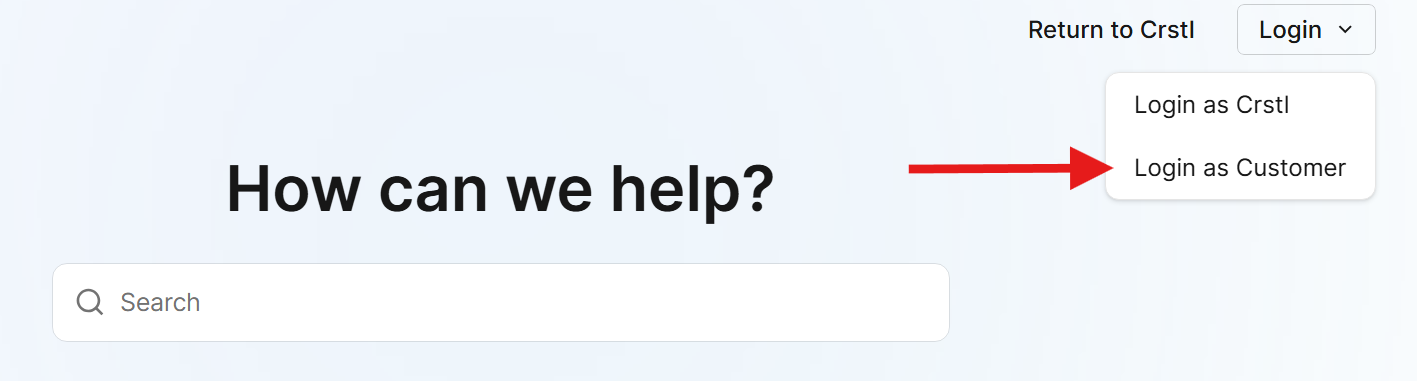
You will be redirected to the Crstl app login screen.
Enter your Crstl login credentials and Login.
You will then be redirected back to the knowledge base automatically.
Please note that you may not be able to login to the support center in Incognito Mode.
Trouble Logging In?
If you are having trouble logging into the Crstl support center, it's most likely because your login cookie is being blocked. When you log into the support center at support.crstl.ai, we redirect you to our main login page at omnicrstl.web.app, generate a login token, then direct you back to support.crstl.ai. Some Ad-Blocking software blocks the login token because it is set by one domain and used by another.
To fix the issue, try disabling your add blocking software for support.crstl.ai.
Using Firefox?
If you are having trouble logging into the Crstl support center using Firefox, it's most likely because the login cookie is being blocked by Firefox' Enhanced Tracking Protection (ETP) privacy feature. Please follow the steps below disable ETP for the Crstl support center.
Open https://support.crstl.ai.
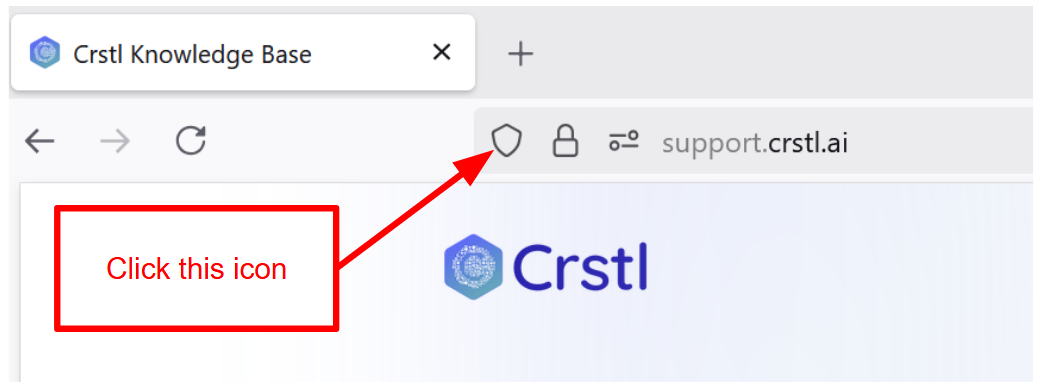
Click the shield icon to the left of the URL.
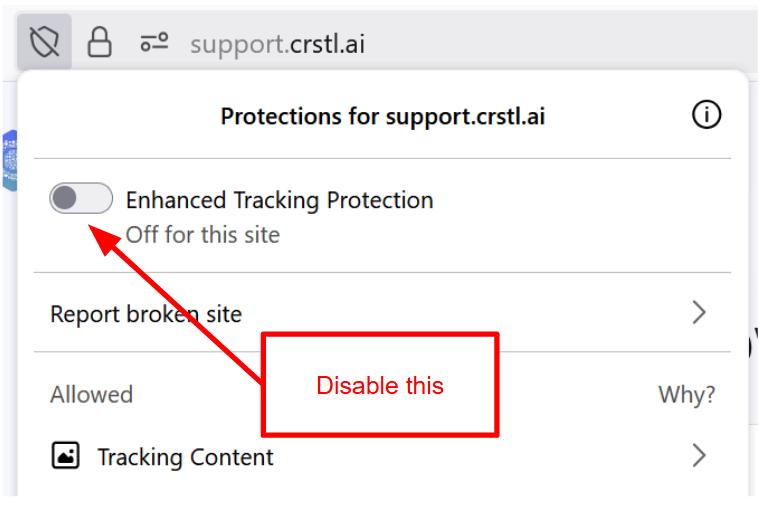
In the popup, disable Enhanced Tracking Protection for this site. This will not disable the feature for all sites, just for support.crstl.ai.
Click the Login button in the upper right corner and select "Login as Customer".
You will be redirected to the Crstl app login screen, then back to support.crstl.ai.
You may need to refresh the page after being redirected to support.crstl.ai in order to complete the login.
What is Enhanced Tracking Protection?
ETP is a Firefox feature that prevents websites from using cookies and tokens to share information about you between websites, which is a common way that advertising companies track your browsing habits across websites.
However, this feature can have unintended side effects. When you log into the support center at support.crstl.ai, we redirect you to our main login page at omnicrstl.web.app, generate a login token, then direct you back to support.crstl.ai. Firefox' ETP feature can block the login token because it's coming from a different domain.
Is it safe to disable it?
Yes, for sites that you trust. When you disable the feature using the instructions above, you're only disabling it for Crstl's support center. The feature will still be enabled for other websites to protect your privacy.
Using Brave Browser?
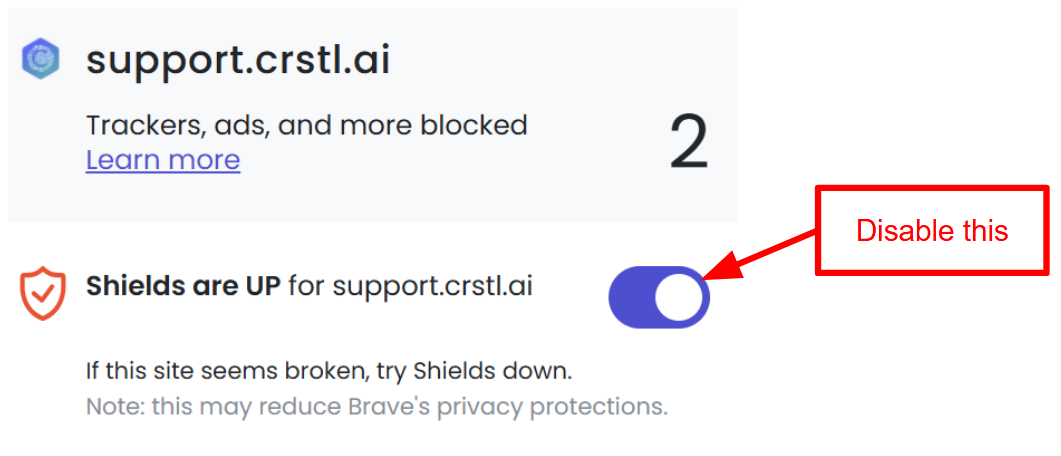
Brave Browser blocks the login cookie we use by default. Please follow the steps below disable the Brave Shield for the Crstl support center.
Open https://support.crstl.ai.
Click the lion shield icon to the right of the URL.
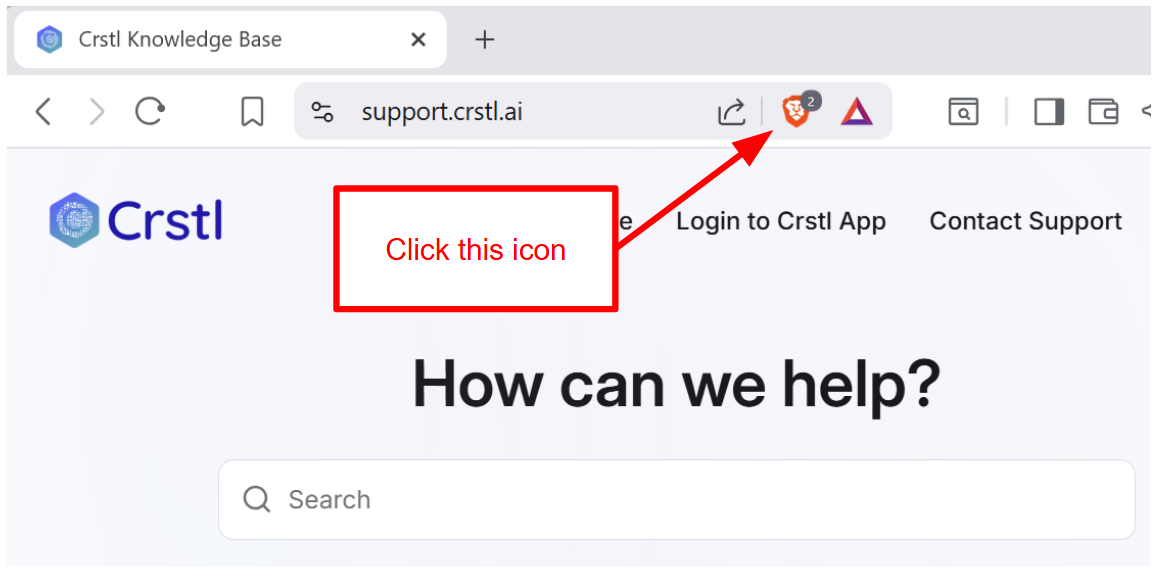
Click the toggle to disable Shields. This will not disable the feature for all sites, just for support.crstl.ai.
Click the Login button in the upper right corner and select "Login as Customer".
You will be redirected to the Crstl app login screen, then back to support.crstl.ai.
You may need to refresh the page after being redirected to support.crstl.ai in order to complete the login.